

Channel management: one calendar for your website and every OTA
HostBooking ·
Channel management keeps one true room calendar for everywhere you sell: your own website, Airbnb, Booking.com, Agoda, Traveloka, Trip.com, Expedia. HostBooking pulls the OTA calendars every 5 minutes, publishes yours to them, reads OTA confirmation emails into bookings, and tells you at once when a night is double booked.
Why it matters
More OTAs bring more guests, but each keeps its own calendar. A guest books on Agoda before you close the room on Booking.com, and you have a double booking: one guest cancelled, a hit to your reviews, sometimes a penalty. Channel management does the closing and opening for you.
How HostBooking syncs
1. OTA calendars pulled every 5 minutes
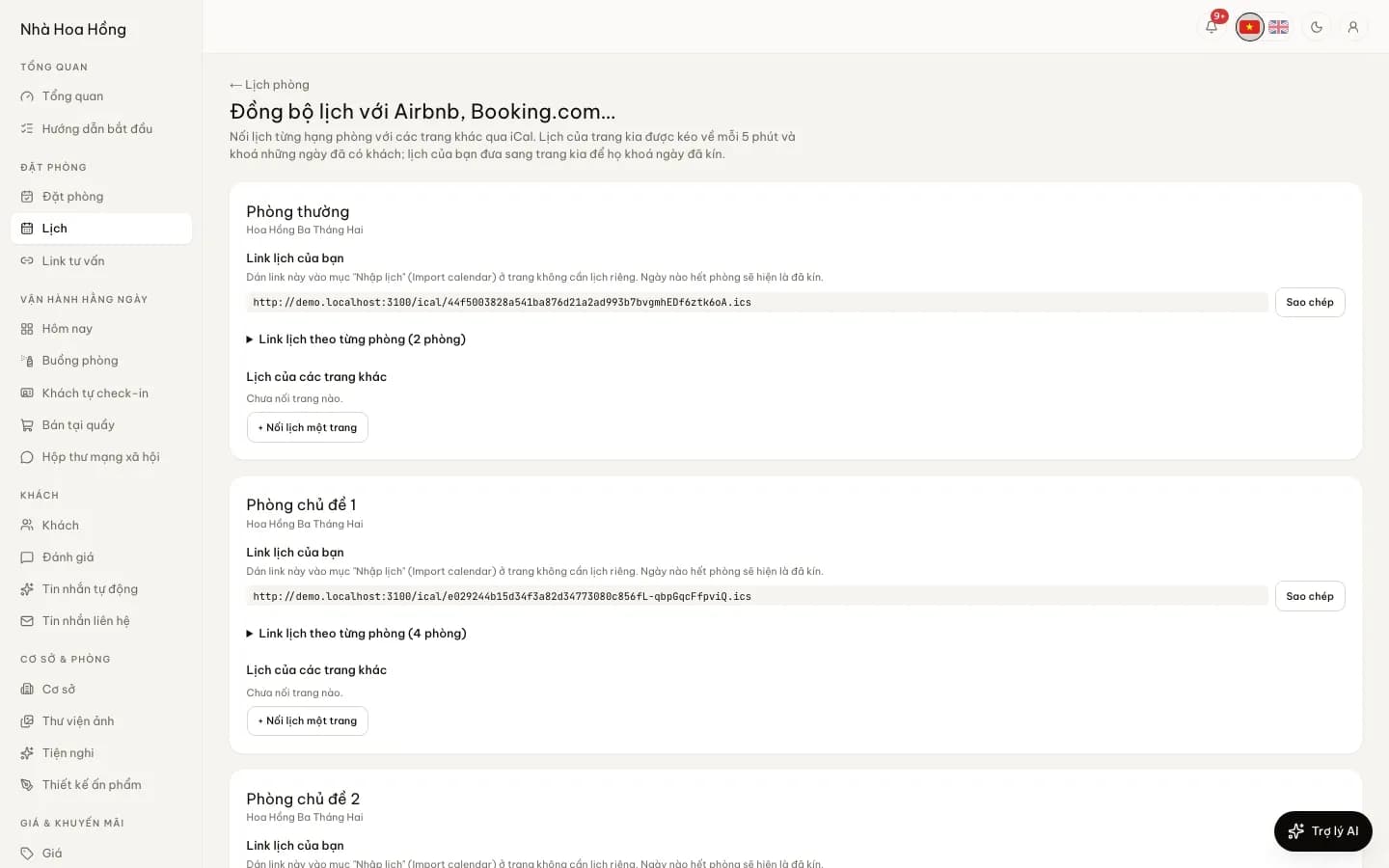
Paste each OTA’s export (iCal) link into a room type, or into a single room if each unit is its own listing. Nights booked there become blocks in HostBooking, and open again when the guest cancels or changes dates.
2. Your calendar published to the OTAs
Each room type and room has an .ics link to paste back into the OTA. Direct bookings, walk-ins and other OTAs’ bookings show there as unavailable. The link given to one OTA leaves out that OTA’s own guests, so the two calendars never lock each other.
3. Booking emails become real bookings
iCal carries only the blocked dates. Forward the confirmation emails of Booking.com, Agoda, Airbnb, Traveloka, Trip.com and Expedia to your own address and HostBooking creates the booking with the guest’s name, dates, price and reference. An email it cannot prove came from the OTA waits for you to look first.
4. Told at once about a double booking
If guests from an OTA and elsewhere need more rooms than you have, or a calendar link stops loading, the manager’s bell and phone say so, once per problem. An email booking for nights already full is not added on its own; it waits for you.
Is HostBooking a two-way channel manager?
Not yet. HostBooking syncs availability (blocked nights) by iCal and bookings by email; it does not push rates and room counts to OTAs over an API. For homestays, villas and apartments that sell mostly direct and on a few OTAs, this is enough to avoid double bookings. Hotels selling most rooms on many OTAs with daily rate changes should add a two-way channel manager.
| Job | HostBooking |
|---|---|
| Stop double bookings across OTAs | Yes: iCal every 5 minutes, per room type or room |
| Full bookings from OTAs | Yes: confirmation emails of 6 OTAs |
| Alerts on overlaps or broken links | Yes: bell and phone |
| Push rates and availability by API | Not yet |
| Own booking website | Yes, on every plan |
OTA sync comes with the Basic plan and up. See pricing.
Frequently asked questions
How fast do OTA calendars update in HostBooking?
HostBooking pulls each OTA calendar every 5 minutes. The OTA reads HostBooking’s link on its own schedule, usually every few tens of minutes to a few hours.
Which OTAs can it sync with?
Any OTA with an iCal link, including Airbnb, Booking.com, Agoda, Traveloka, Trip.com and Expedia. Confirmation emails are read for these six.
What happens if two guests book the same night?
HostBooking keeps both bookings, because the OTA guest is real, marks the night as overbooked and alerts the manager at once so you can move a room or contact a guest.