

Hourly booking software for homestays and private movie rooms
HostBooking ·
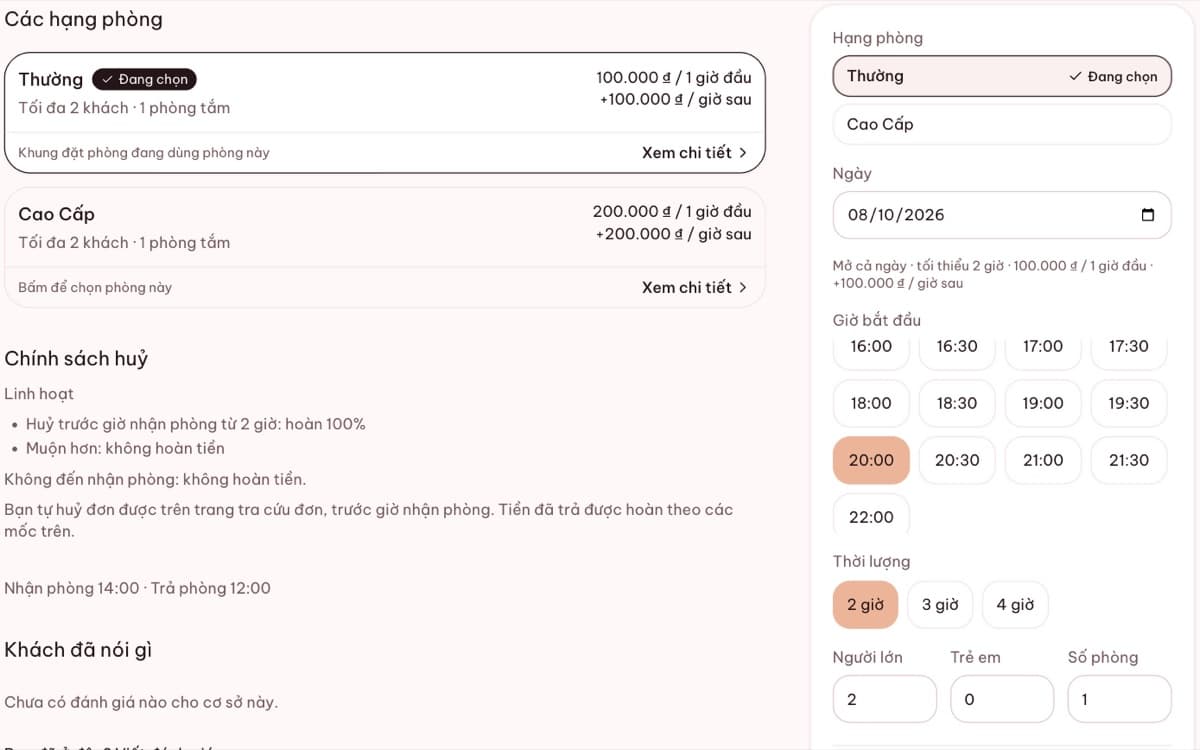
HostBooking lets you sell rooms by the hour. Guests see which hours are free, choose a start time and how many hours, and the price is worked out from the first hour, each extra hour and weekend rates, with cleaning time kept free between two guests. It suits hourly homestays, private movie rooms and the staycation model.
Why does hourly booking need its own software?
A room rented by the hour can take 3–5 guests a day. Each stay needs time for cleaning, and prices usually differ between the first hour and the rest, daytime and overnight, weekdays and weekends. Keeping it by hand in Zalo or Excel makes overlapping hours and wrong totals easy, especially on a Saturday night.
How HostBooking handles hourly bookings
- Time slots from the real calendar: guests only see free hours, with no need to message and ask.
- Minimum length and time step: for example a 2-hour minimum, in 1-hour steps.
- Cleaning time: a gap is kept free between two bookings.
- Prices worked out for you: first hour, each extra hour, weekend and holiday surcharges.
- Overnight and daily stays too on the same room, with no overlapping on the calendar.
- QR deposits: guests transfer the exact amount when they book, so the slot is held for sure.
A pricing example
| Setting | Example |
|---|---|
| First hour | 120,000 ₫ |
| Each extra hour | 60,000 ₫ |
| A guest books 3 hours on a weekday | 120,000 + 2 × 60,000 = 240,000 ₫ |
| Overnight (22:00 – 10:00) | its own price, for example 350,000 ₫ |
These numbers are only an example; you set your own prices in the admin.
Movie rooms and rooms with a projector
Movie rooms are usually booked by couples or small groups, in the evening. You set an hourly price, a guest limit, list the amenities (projector, Netflix, bathtub) and add house rules. Guests can find a room with a sentence like "Saturday night, 2 people, under 300k" in the AI room search.
Read more: running an hourly homestay.
Frequently asked questions
Can it stop two guests booking the same hours?
Yes. Once a time slot has a booking, including one you entered by hand, it disappears from the booking page.
Can one room sell both by the hour and overnight?
Yes. You turn on each way of selling per room type. Everything sits on one calendar, so hours never overlap.
Does it account for cleaning time?
Yes. You set the cleaning time in minutes, and that gap is kept free after every booking.