

Switching to HostBooking from Excel, Google Sheets or other software
HostBooking ·
Moving to HostBooking does not mean retyping every booking. You create properties, room types and rooms from the Excel template, import upcoming bookings from Excel, Google Sheets or Google Calendar, then reconnect your OTA calendars. The HostBooking team helps for free on Zalo during support hours, including a video call to walk your staff through it, and you can run your old system alongside for the first week.
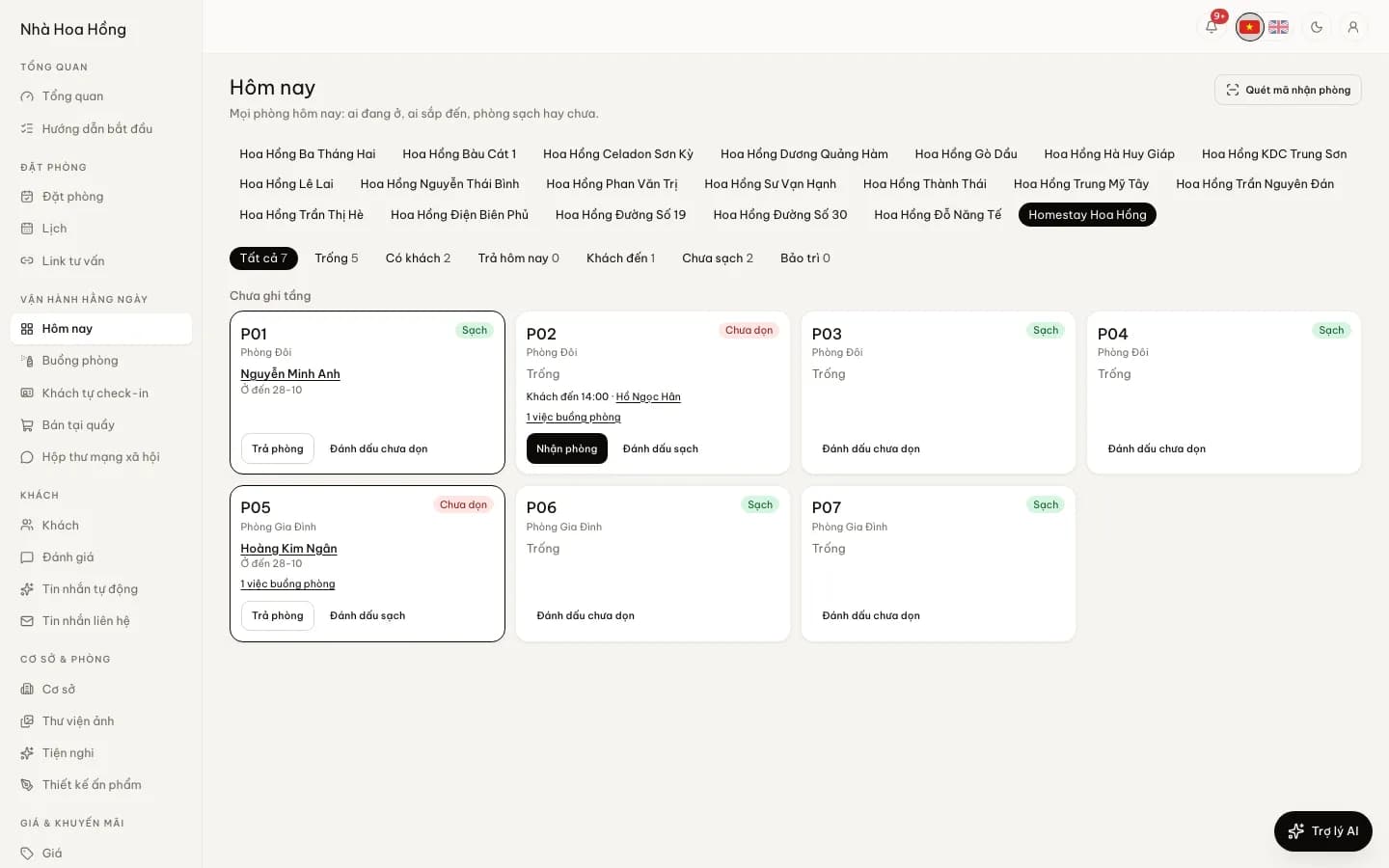
What we help with when you switch
| Job | You do | HostBooking helps |
|---|---|---|
| Properties, room types, rooms | Fill in the Excel template on the Properties page | Look over the file, fix wrong columns on Zalo |
| Moving upcoming bookings | Upload an Excel, CSV or .ics file | Explain the preview, sort out skipped rows |
| Reconnecting OTAs | Paste the calendar link on each OTA | Check each link with you, set up email forwarding |
| Booking website | Send photos, descriptions, rates | Guide the site setup, domain, VietQR deposits |
| Getting staff used to it | Book a time for the team | A video or Zalo call through each role’s actual jobs |
All of this is free of charge, on every plan, the Free plan included. We help on Zalo and by phone during support hours, 8:00–24:00; within those hours we reply within 2 hours, outside them the next morning, as stated in our service commitment. We do not sign in to your OTA or bank accounts; you click those steps yourself and we show you how.
Importing from Excel: what actually comes across
Import from files has two parts, and it helps to know the limits of each:
- Properties, room types and rooms: fill in the Excel template on the Properties page to create many at once, on every plan.
- Bookings: go to Bookings › Import from file, pick a property and a default room type, and upload an .xlsx, a .csv (downloaded from Google Sheets) or an .ics (downloaded from Google Calendar). No template needed: columns are matched by Vietnamese or English headings (name, phone, check-in, check-out, room type, total, deposit paid, note); amounts like "1,5tr" or "500k" work.
- A row-by-row preview: each row says whether it will be imported or skipped and why: in the past, missing dates, an invalid phone, unknown room type, room already taken, or already imported.
- Imported bookings follow the normal path: they hold their rooms, are confirmed and record the deposit paid, just like bookings entered by hand. Imported the wrong file? Undo this import cancels the whole batch at once.
Only bookings from today onwards are imported; past ones are skipped. Bookings import one property at a time. There is no separate import for an old guest list: guest profiles are built from bookings, so guest history from before the switch stays in your old file. Keep it.
Reconnecting OTAs: iCal and email forwarding
- Your calendar to the OTAs: each room type (and each room) has an .ics link; paste it into the calendar import of Airbnb, Booking.com and Agoda. This link is on every plan.
- OTA calendars into HostBooking: paste each OTA’s export link into OTA sync; calendars are pulled every 5 minutes (from the Basic plan or with the add-on). Dates already booked on the OTA are blocked at once, including bookings made before you switched.
- Bookings with guest name and price: set a filter in Gmail or Outlook to forward OTA booking emails to your brand’s own address. Older confirmation emails for upcoming stays can be forwarded by hand too, then click Create booking.
- Remove the old system’s calendar from the OTAs once HostBooking’s is running, so a date is not blocked by two sources. Details and common errors: syncing iCal calendars to avoid double bookings.
Booking website and deposits
Every brand gets its own booking website, in Vietnamese and English, at an address like yourname.staycation.com.vn, with your own domain from the Basic plan. Guests pay deposits with a VietQR code carrying the amount and booking reference, straight into your account. If you have a website elsewhere, keep it during the move and point its "Book" button to the new site when ready. See also creating a homestay website.
The first week, day by day
- Day 1: sign up, fill in the Excel template for properties, room types and rooms; set rates and cancellation policy. Send us the file on Zalo if you want it checked.
- Day 2: import upcoming bookings from your file, compare the preview with your old records, deal with skipped rows.
- Day 3: connect two-way OTA calendars for each room type or unit, and set up booking email forwarding.
- Day 4: create staff accounts and roles; book a video call so the team tries check-in, checkout and cleaning on their phones.
- Days 5–6: run in parallel: new bookings go into HostBooking, the old records are for checking only. Each evening compare bookings and amounts between the two.
- Day 7: switch on the booking website, change booking links on your Facebook page and Google Maps; remove the old system’s calendars from the OTAs and stop using the old records.
A large portfolio or a multi-floor hotel may need two weeks rather than one. The plan above is a suggestion, not a deadline we commit to.
Want to try before you switch?
The try-it page opens a sample homestay for 90 minutes, no account needed. When you sign up you get a 14-day trial of the full product, no card needed; if you do not pay when it ends, the site moves to the Free plan (up to 50 bookings a month) with everything kept. Plan prices are on pricing. Questions first? Call or message us on Zalo via the contact page; when ready, sign up and message us to start the move.
Frequently asked questions
Will I lose my old data when switching to HostBooking?
No, your old file stays with you. Upcoming bookings are imported and hold their rooms; past bookings and old guest history are not imported, so keep the old file for reference. If you ever leave, you can export bookings, guests and books to Excel at any time.
Can I run both systems in parallel?
Yes, and it is worth doing for a few days. New bookings go into HostBooking and the old records are for checking. Just avoid letting both systems take website bookings or send calendars to the OTAs for long, or you will be entering bookings twice.
What about bookings already on Airbnb or Booking.com?
Once iCal is connected, dates already booked on the OTA are blocked at once, so they cannot be sold twice. For bookings with guest name and price, forward their confirmation emails to your brand’s address, or include them in the import file.
Does migration support cost anything?
No. Help on Zalo, by phone and by video call during 8:00–24:00 is free on every plan. We do not sign in to your OTA or bank accounts for you.
How long does it take?
A homestay with a few rooms is usually done in an afternoon; a mini hotel or an apartment portfolio should allow a week, with a few days in parallel. The slowest part is usually tidying up the old Excel file.